
This module is used for requesting TDS/Conso file from TRACES.The system allows the user to request for ‘Conso file’ from TRACES through TDSMAN interface. In order to do this, click on TRACES Information > Request for TDS/Conso file Online :-
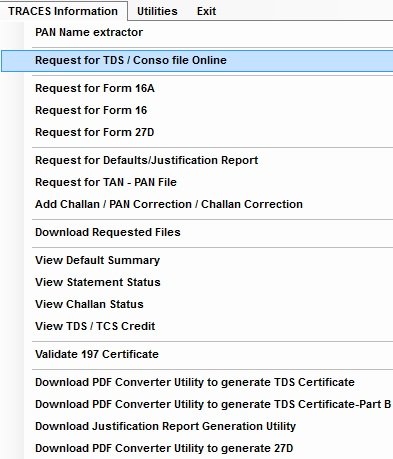
request-for-tds-or-conso-file-online-button
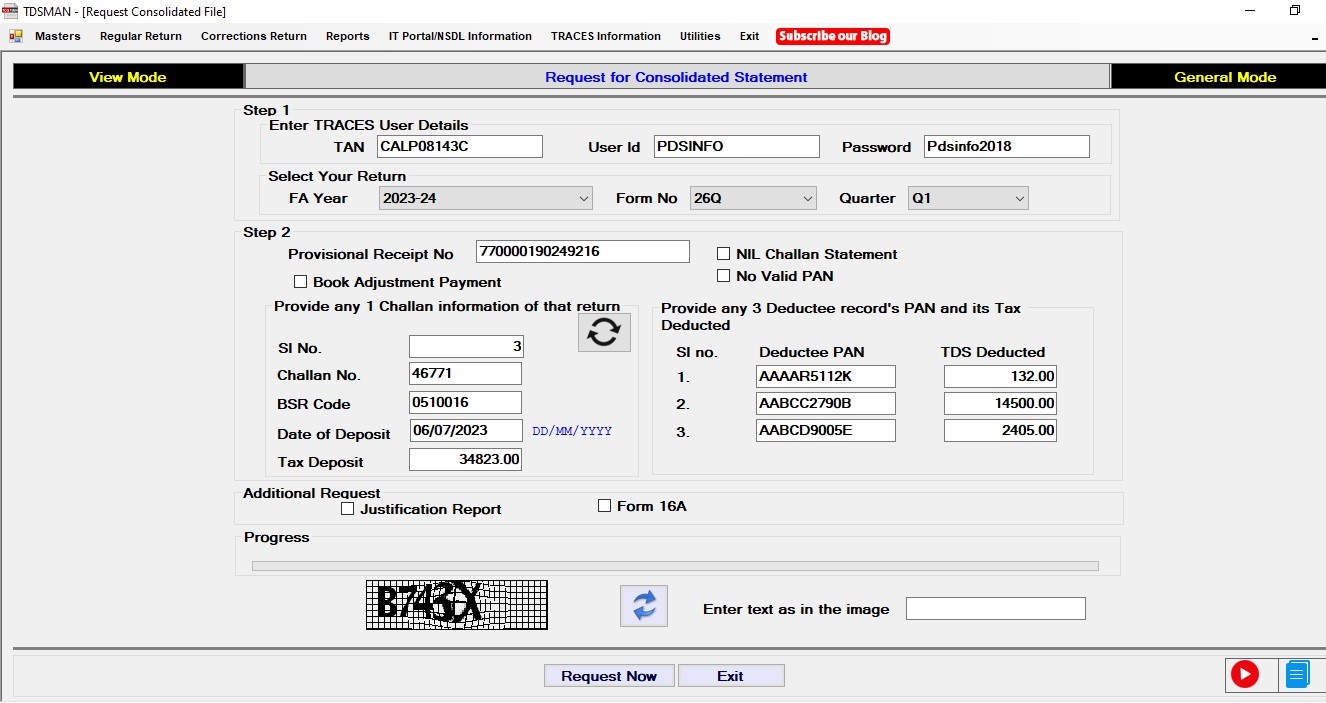
Request for TDS / Conso File Online

Enter the TRACES Password, after that select Tax year, Form No. and Quarter

Enter the captcha and click on ‘Request Now’ button.

Request for Consolidated Statement 2

Click on “OK” button , an OTP will be sent to the Traces Responsible Person Aadhar linked mobile number.

Request for Conso File 3

Enter the OTP , and again click on “OK” Button

Request for Conso File 4

Before downloading the file software will ask for the Path to be saved in , Select the Path/Folder

The file will download automatically , Click on “OK”

Password for opening the Conso File is : (TAN Allotment date, Form Type, Quarter, Tax Year) DDMMYYNNNQYYYY

Need more help with this?
TDSMAN - Support

Was this helpful?

Yes No
You indicated this topic was not helpful to you ...
Could you please leave a comment telling us why? Thank you!
Thanks for your feedback.